
The best AI GIF generator in 2026 is AI GIF Maker if your GIF has words in it, and Magic Hour if you want a free try with no account. Both hand you an actual .gif file, while many tools on other "best AI GIF generator" lists are video generators that render an MP4 and leave the conversion to you. Since OpenAI's GPT Image 2.6 started outputting animated GIFs on November 4, 2026 (OpenAI help center), some tools give you the GIF directly and others still make you convert a video.
- Best AI GIF generator for text and names: AI GIF Maker (aigifmaker.ai). Start from text: type the words, get a looping GIF with them drawn in, first one free to watch without an account.
- Best free tier with no signup: Magic Hour, 3 generations a day, no account, no watermark.
- Best for animating your own photos: Fotor (up to 4 photos) or AnimatePhoto (video model, converted to GIF).
- Best for pixel art: 8gifs.
- Already have a video? You don't need AI at all: the free Video to GIF converter on AI GIF Maker runs in your browser.
- Every price and free tier below was read on the vendor's own page on 2026-11-24.
The best AI GIF generator for each job
Five jobs people ask about most, and the pick for each:
| Your job | Pick | Why it wins this job |
|---|---|---|
| Birthday or holiday GIF with a name on it | AI GIF Maker | Your words are drawn into the animation, not pasted on top |
| Custom Discord emoji or sticker | AI GIF Maker or CropDen | Both export a 128×128 file under Discord's 256 KB limit |
| Reaction meme with a caption | AI GIF Maker or Imgflip | AI GIF Maker draws the caption in; Imgflip captions an existing clip |
| Make a photo move | Fotor or AnimatePhoto | Built around uploading a picture |
| Try without making an account | Magic Hour or 8gifs | No login needed for the first GIFs |
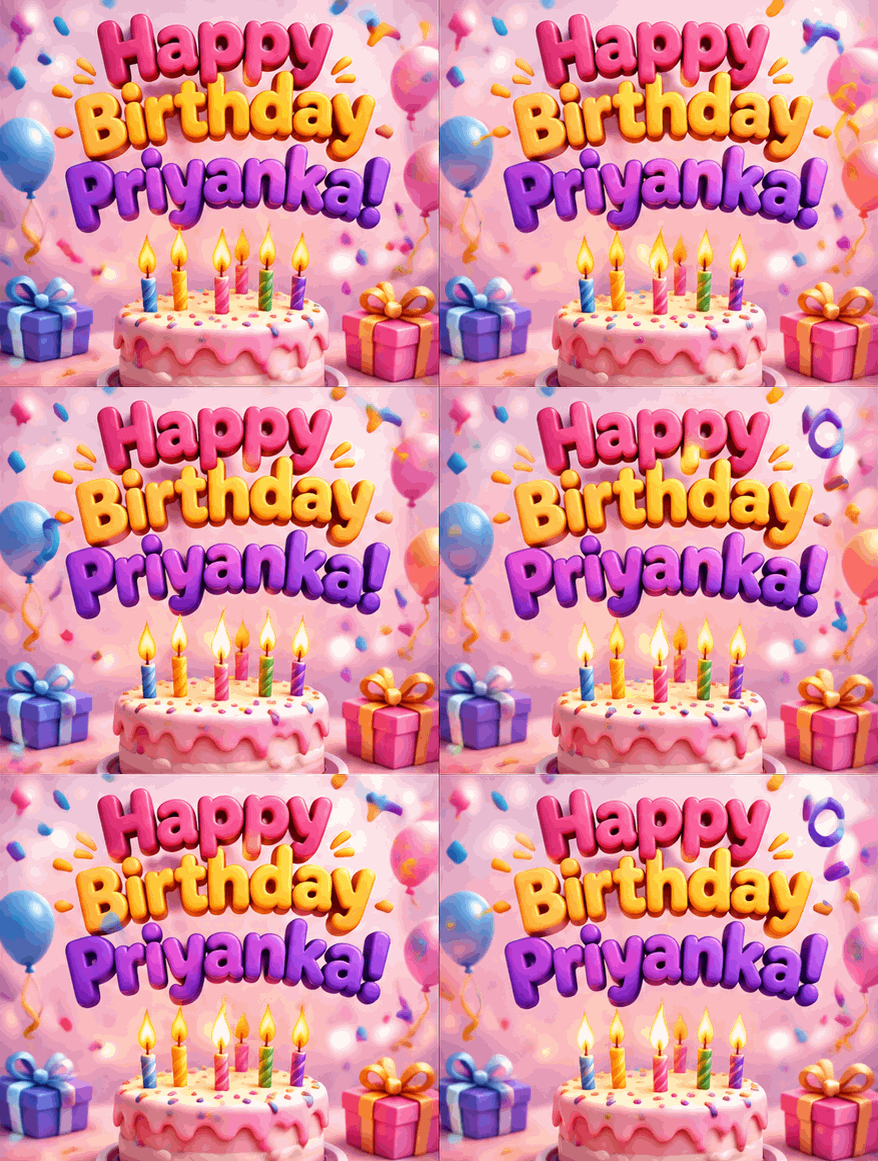
Made with AI GIF Maker on 2026-11-24 from one sentence: a birthday cake, confetti, and "Happy Birthday Priyanka!" in bubbly letters. 9 frames, native GIF, no conversion step.
Best AI GIF generators compared (checked 2026-11-24)
This is the main table. "Native GIF" means the tool itself gives you a .gif; "MP4 → GIF" means it renders a video and converts it.
| Tool | Input | Output | Free tier | Signup to try | Cheapest paid | Free watermark | Checked |
|---|---|---|---|---|---|---|---|
| AI GIF Maker (aigifmaker.ai) | Text | Native GIF, ~400 px, 9 frames | First GIF free to watch | No | $3.99 for one GIF; 60 GIFs $9.90 one-time | Preview only until you buy | 2026-11-24 |
| ChatGPT | Text, photo | Native GIF | Image limit not published; GIF "rolling out" | Yes | Go $8/mo | Not stated | 2026-11-24 |
| Magic Hour (magichour.ai) | Text | Native GIF | 3/day, shared with video tools | No | Packs from $10; Creator $24/mo | None | 2026-11-24 |
| CapCut (capcut.com) | Text, photo, video | MP4 → GIF (240p/320p/640p) | Free plan; AI allowance not stated | Unclear | Pro $19.99/mo | Not stated | 2026-11-24 |
| PixelDojo (pixeldojo.ai) | Text, photo | GIF, ~5 s loop | 3/day with free account | Yes | Lite $10/mo | Small PixelDojo mark | 2026-11-24 |
| 8gifs (8gifs.com) | Text, photo, video, links | Native GIF (pixel art) | 1 without account, 3/day signed in | No | $3.99/mo ($0.99 first 2 months) | 8gifs.com mark | 2026-11-24 |
| Fotor (fotor.com) | 1–4 photos + prompt | GIF export | New-user credits, amount not stated | Yes | Pro $10.99/mo | "Usually" none | 2026-11-24 |
| Kapwing (kapwing.com) | Video, images, GIFs | Editor export as GIF (not AI) | 10 credits | Unclear | Pro $24/mo | Kapwing watermark | 2026-11-24 |
| ToonBee (toonbee.app) | Text, photo | Native GIF, 4–12 frames | No free GIFs | Yes | Basic $37/mo; packs from $47 | None | 2026-11-24 |
| CropDen (cropden.com) | Text, photo | Native GIF, ~9 frames | 1 AI GIF per account | Yes | $5.99 pack (4 credits a GIF) | None | 2026-11-24 |
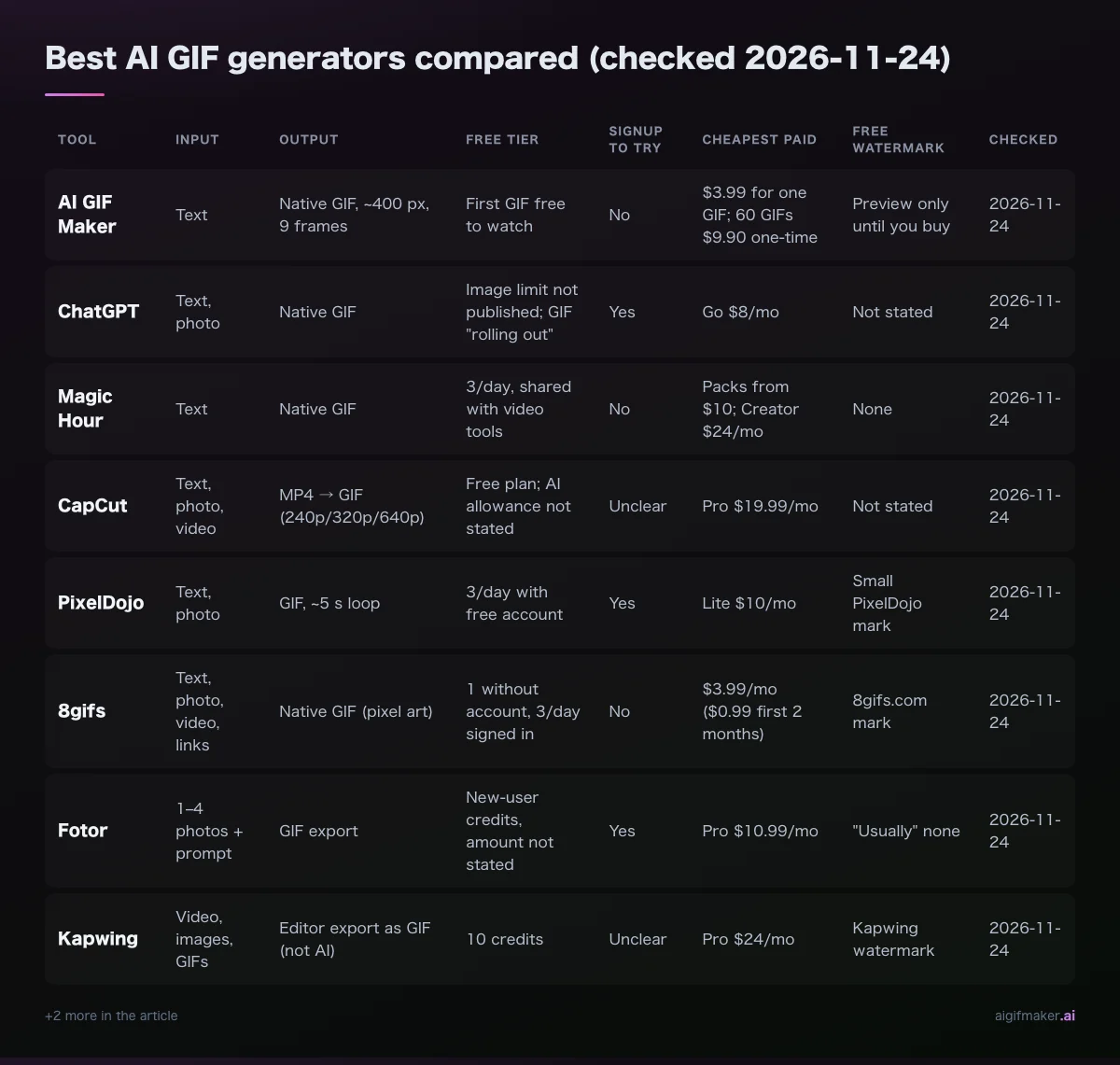
The first eight rows of the main table as a graphic (ToonBee and CropDen are in the table above), all read on vendor pages on 2026-11-24.
Native AI GIF vs "video, then convert": why it matters
With a video-first tool you get an MP4 and a second job: convert it, pick a size and frame rate, often compress it. You can see it in how the tools describe themselves. CapCut's AI GIF page runs "Text to video" and then exports the clip as GIF at 240p, 320p or 640p. AnimatePhoto gives you "a 5-second video clip" converted in the browser. Effect.video makes a 4-second clip and saves it as GIF. Kapwing's button literally says "Export as GIF", because it is a video editor.
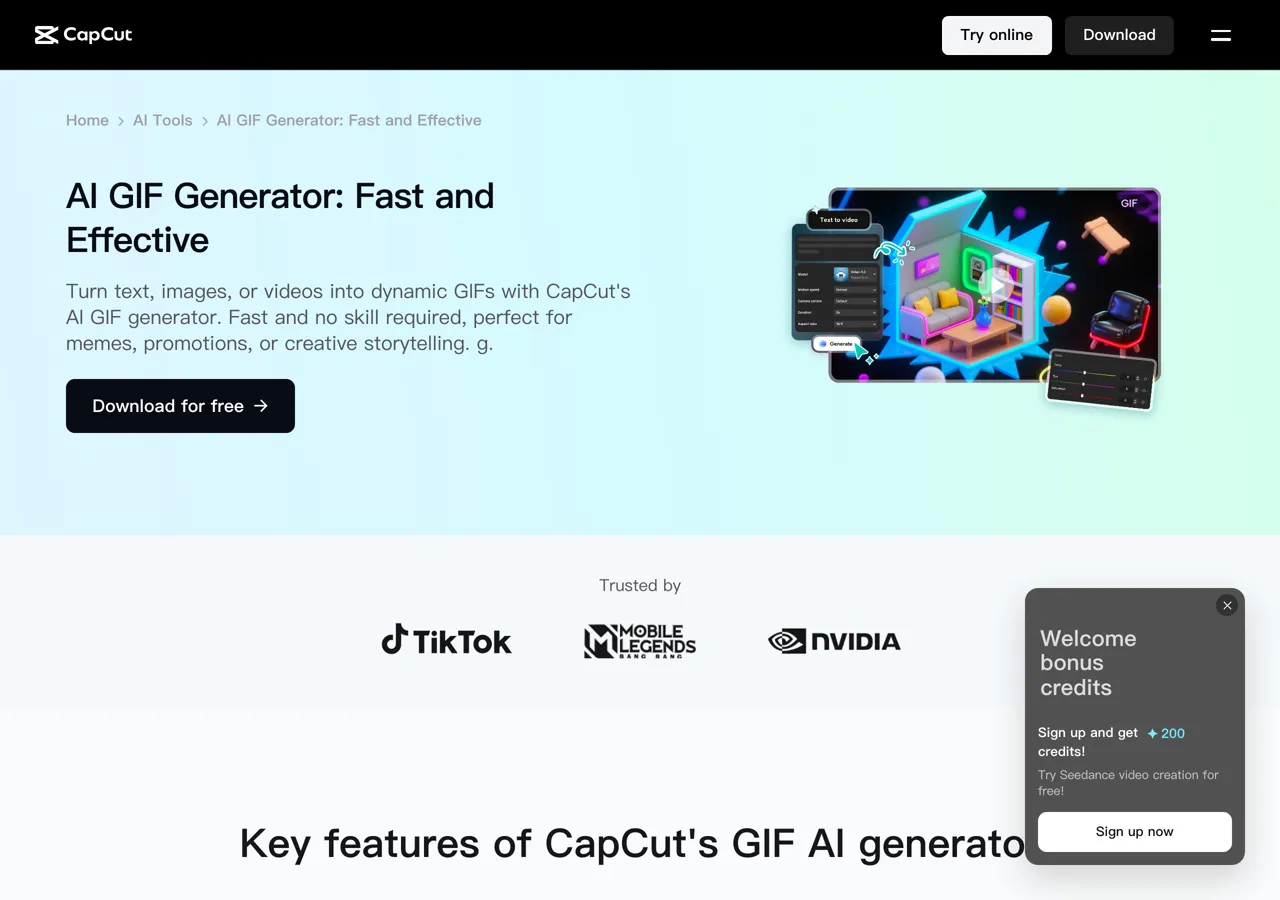
CapCut's AI GIF generator, 2026-11-24: the panel on the left is a text-to-video generator; GIF is the export format.
Native GIF generators skip all that. AI GIF Maker, ChatGPT, ToonBee, CropDen, PictoGIF and ImagenGIF each name GPT Image 2.6 on their own pages as the model behind their GIFs, and it outputs the animation directly as a GIF. On AI GIF Maker that means one sentence in, a looping GIF of about 400 px and 9 frames out in 30 to 70 seconds, sized for chats without any trimming.
Native generation also handles words differently. The model draws your text as part of each frame, in the style of the scene, instead of laying a caption on top afterwards. In the three GIFs in this article, made on AI GIF Maker on 2026-11-24, "Happy Birthday Priyanka!" and "MONDAY MEETING AT 8AM" came out letter for letter as typed.
| Step | Native GIF generator | Video generator + converter |
|---|---|---|
| You type | One prompt | One prompt |
| You get | A .gif file |
An MP4 |
| Extra steps | None | Convert, pick size and fps, often compress |
| Text in the animation | Drawn in by the model | Added later as an overlay |
| Typical tools | AI GIF Maker, ChatGPT, ToonBee, CropDen | CapCut, AnimatePhoto, Effect.video, Runway or Kling + Ezgif |
The 10 best AI GIF generators, one by one
1. AI GIF Maker: best AI GIF generator for text, names and messages
AI GIF Maker turns one sentence into a looping GIF with your words drawn into the picture. You type "a raccoon sweating at a laptop, caption MONDAY MEETING AT 8AM", and the caption becomes part of the animation, not a sticker on top.
- What you put in: a sentence. Names, dates and short messages go straight into the picture.
- What you get: a native GIF, about 400 px, 9 frames, ready in 30 to 70 seconds.
- Free: your first GIF is free to make and watch, no account needed. Downloading it unlocks with any purchase.
- Price: $3.99 for just that one GIF, or a one-time pack: 60 GIFs for $9.90, 150 for $19.90, 400 for $39.90. Packs don't expire, and you never need a subscription. Monthly plans exist if you make GIFs every week. Full list on the pricing page.
- If a GIF fails: your credit goes back automatically.
- Extras: one-click "Download for Discord" turns a GIF into a 128×128 emoji under 256 KB, right in your browser.
It is the best AI GIF generator for birthday GIFs with a name, holiday greetings, server emoji and caption memes, because the text is part of the art instead of a sticker on top. Start from a template on Happy Birthday GIF with Name, Discord Emoji Maker or Text to GIF.
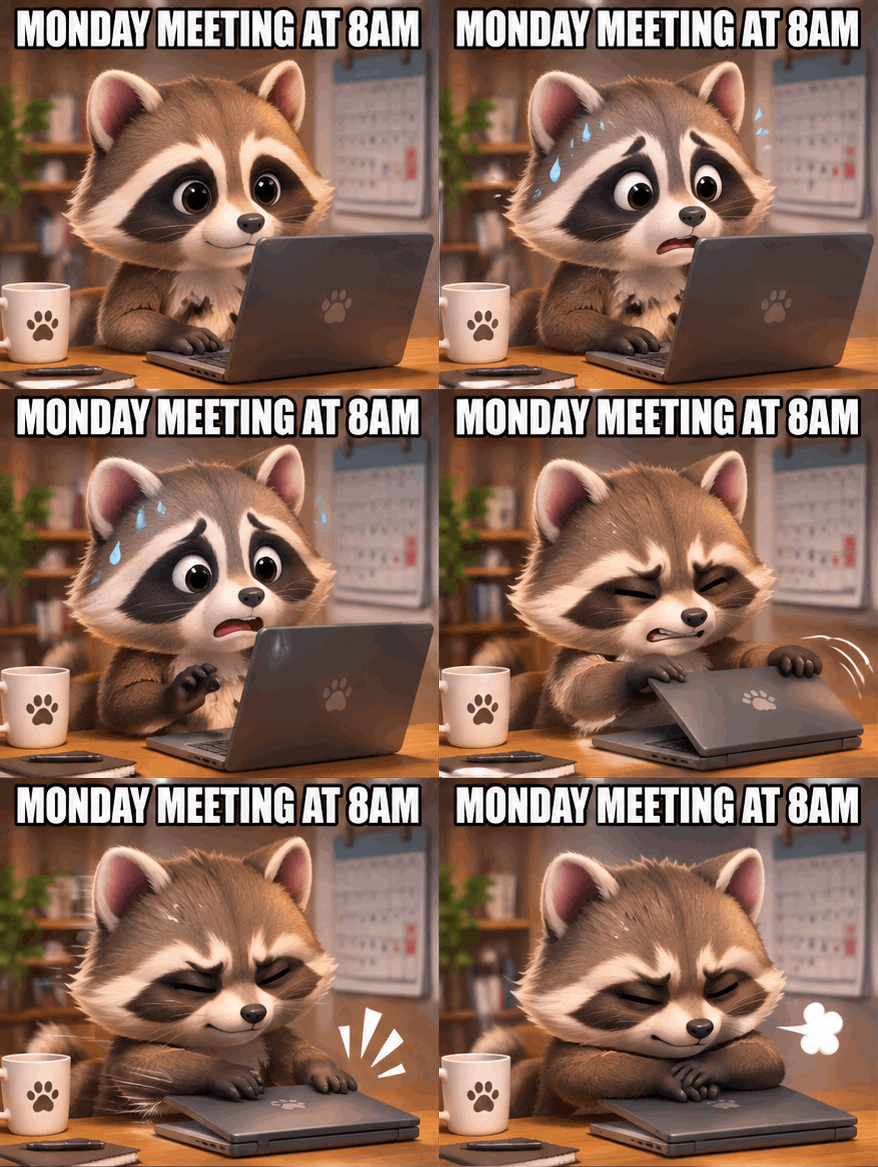
AI GIF Maker, 2026-11-24. The caption is drawn by the model, letter for letter as typed.
2. ChatGPT: best if you already pay for it
ChatGPT Images 2.6 can make animated GIFs from a prompt or a photo, and you can ask it to change its own GIF in the conversation. OpenAI's help center says GIF creation is "rolling out", and the free plan's image limit is not published. Paid plans start at Go, $8 a month.
Pick it if you already live in ChatGPT. Skip it if you want a tool that opens straight to a GIF box.
3. Magic Hour: best free AI GIF generator with no signup
Magic Hour's AI GIF Generator takes a text prompt and gives you a GIF with 3 free generations a day, no account and no watermark. The 3 are shared with its image-to-video and text-to-video tools. A GIF costs 50 credits; credit packs start at $10, and the Creator plan is $24 a month.
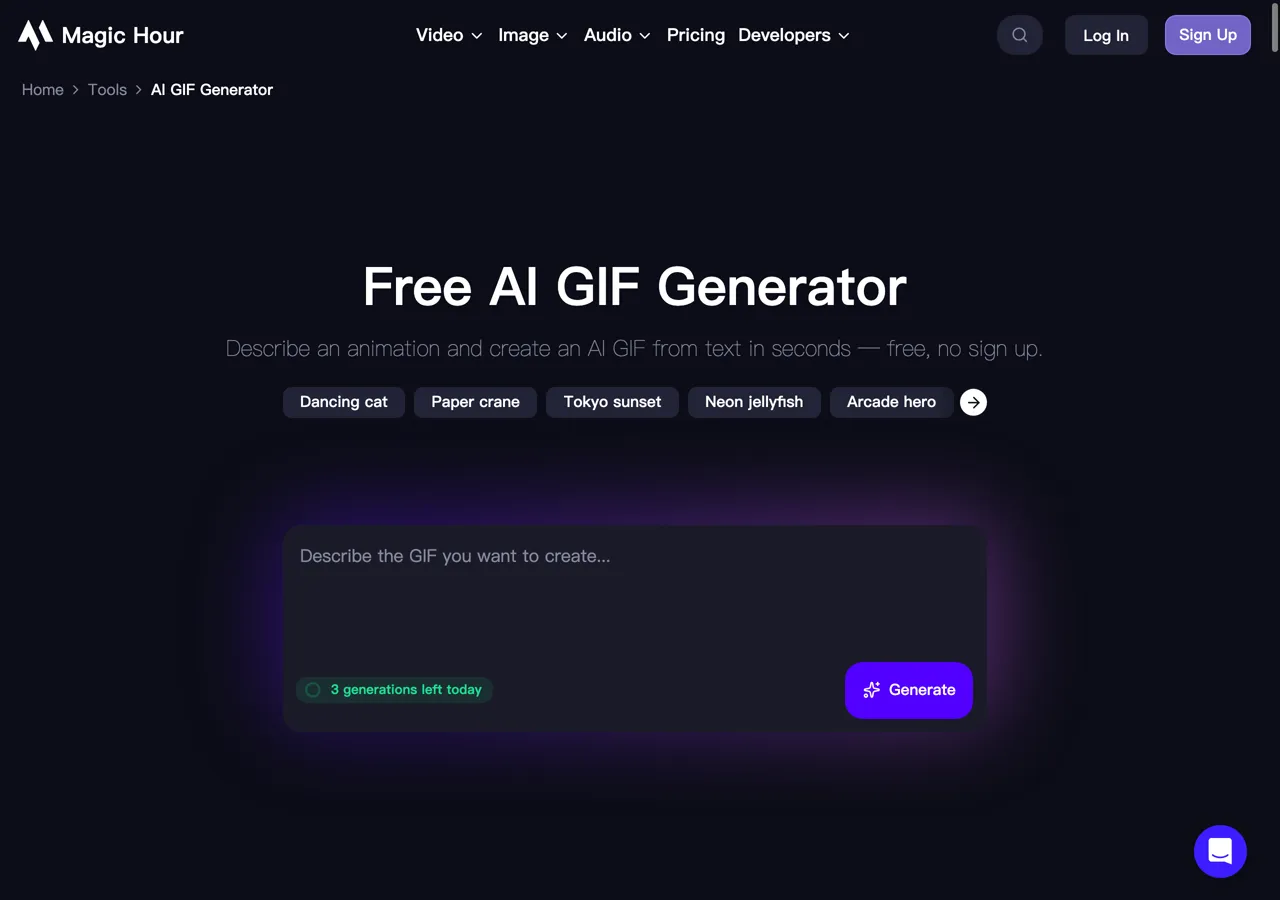
Magic Hour, 2026-11-24: the daily counter sits right under the prompt box.
4. CapCut: best if you will edit the GIF afterwards
CapCut generates a video with its text-to-video model, then lets you add stickers, filters and timing in a full editor before exporting at 240p, 320p or 640p. The free plan is $0; how many AI generations it includes isn't stated. Pro is $19.99 a month. No transparent backgrounds.
5. PixelDojo: best for sharing links and embeds
PixelDojo makes a short looping GIF (about 5 seconds) from a prompt or a photo. A free account gets 3 a day with a small PixelDojo mark; any paid plan removes it, starting with Lite at $10 a month. Each GIF gets a share link and an embed code.
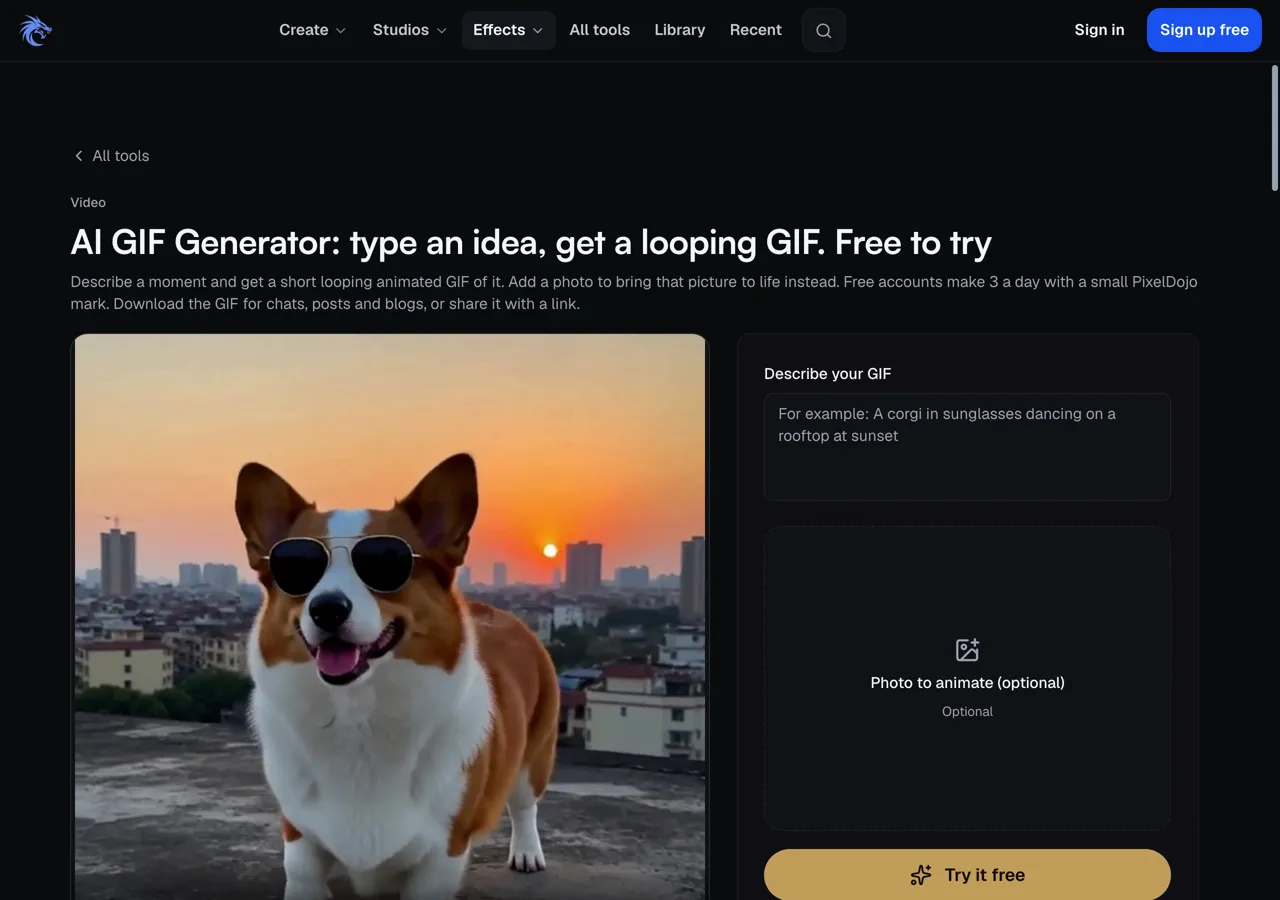
PixelDojo, 2026-11-24: the free-tier terms are in the subtitle.
6. 8gifs: best for pixel art
8gifs only does pixel art, and does it from almost anything: text, a photo, a video, a YouTube link or an X post. You get 1 GIF without an account and 3 a day signed in (10 if your X account is verified). Free GIFs carry an 8gifs.com mark. Starter is $3.99 a month, $0.99 for the first two months.
7. Fotor: best for animating your own photos
Fotor's image-to-GIF tool takes up to 4 photos plus a prompt and animates them, with preset holiday prompts. New users get free credits (the amount isn't listed) and earn daily credit rewards. Pro is $10.99 a month billed monthly.
8. Kapwing: best GIF editor (not AI generation)
Kapwing is a video editor with a GIF export, not an AI GIF generator. Bring a clip, trim it, add text, export. The free plan includes 10 credits and watermarked exports; Pro is $24 a month billed monthly.
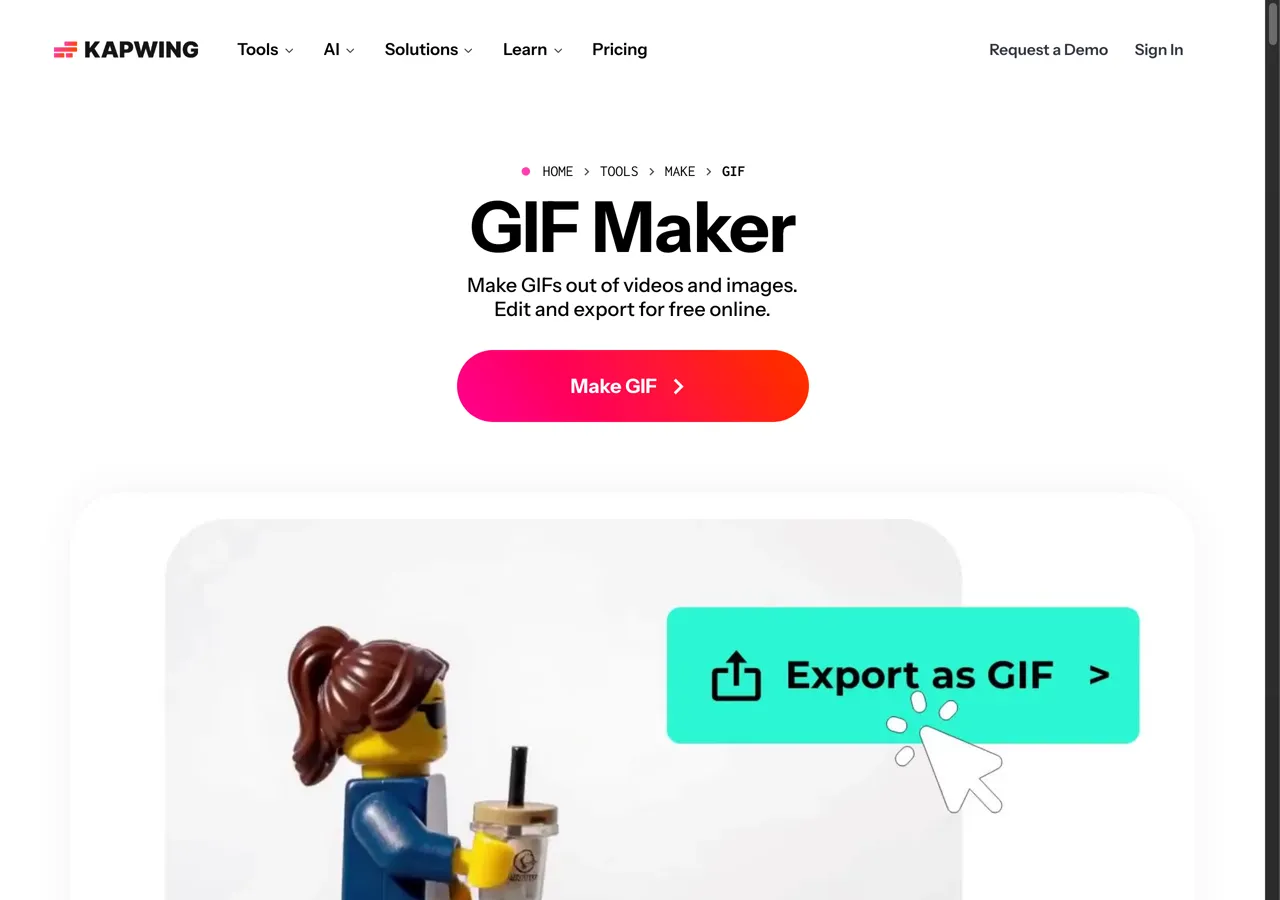
Kapwing, 2026-11-24: an editor where GIF is the export format.
9. ToonBee: best for frame-by-frame control
ToonBee lets you pick 4 to 12 frames, the speed (80, 120 or 200 ms per frame) and the aspect ratio, and outputs a GIF of about 816×816 with no watermark. There are no free GIFs: the account is free, each GIF costs 15 to 54 credits, and plans start at $37 a month.
10. CropDen: best for platform-exact sizes
CropDen makes a roughly 9-frame AI GIF from text or a photo and exports presets such as a 128×128, 256 KB Discord emoji. Each account gets 1 free AI GIF; after that a $5.99 pack covers 25 runs at 4 credits each.
Other AI GIF tools you'll see recommended
These show up in other "best AI GIF generator" answers. Most are either converters or a narrower kind of tool:
| Tool | What it actually is | Free | Cheapest paid | Checked |
|---|---|---|---|---|
| PictoGIF (pictogif.com) | Native GIF (GPT Image 2.6), 9 frames | 3/day | 500 credits $8 | 2026-11-24 |
| ImagenGIF (imagengifai.com) | Native GIF, 8/12/16 frames | None | $4.99 pack | 2026-11-24 |
| AIGifsMaker (aigifsmaker.com) | Native GIF + local converters | 60 credits after email check, watermarked | $9.90/mo | 2026-11-24 |
| GifQuill (aigifgenerator.dev) | Cloud AI GIF + free browser tools | Browser tools free | $4.90 pack | 2026-11-24 |
| AnimatePhoto (animatephoto.io) | 5 s video → GIF | New-account credits | $9.90/mo | 2026-11-24 |
| Effect.video (effect.video) | 4 s video → GIF | 5 credits once | $15.79/mo yearly | 2026-11-24 |
| Imgflip (imgflip.com) | Classic GIF maker; AI writes captions | 25 AI captions/mo | Pro $14.95/mo | 2026-11-24 |
| Canva (canva.com) | Template editor, download as GIF | Free plan | Pro $18/mo | 2026-11-24 |
| Sorceress (sorceress.games) | Game sprite sheets; GIF is a preview | Not stated | $49 lifetime | 2026-11-24 |
| WaveSpeed (wavespeed.ai) | Free non-AI image-to-GIF maker | Free | API pay-as-you-go | 2026-11-24 |
And the one everybody ends up using after a video generator: Ezgif (ezgif.com). It doesn't generate anything. It converts, resizes and compresses, free, no signup, uploads up to 200 MB (checked 2026-11-24).
Free AI GIF generators: what "free" means on each
"Free" means four different things across these tools. Check which one you need before you type a prompt:
| Tool | Free GIFs | Account needed | Watermark on free | Can you download free? |
|---|---|---|---|---|
| AI GIF Maker | First one | No | Preview | After any purchase |
| Magic Hour | 3/day | No | No | Yes |
| 8gifs | 1, then 3/day | Not for the first | Yes | Yes |
| PixelDojo | 3/day | Yes | Yes | Yes |
| PictoGIF | 3/day | Unclear | Not stated | Yes |
| CropDen | 1 per account | Yes | No | Yes |
| Fotor | New-user credits | Yes | "Usually" no | Yes |
| ToonBee / ImagenGIF | None | Yes | No / not stated | Paid only |
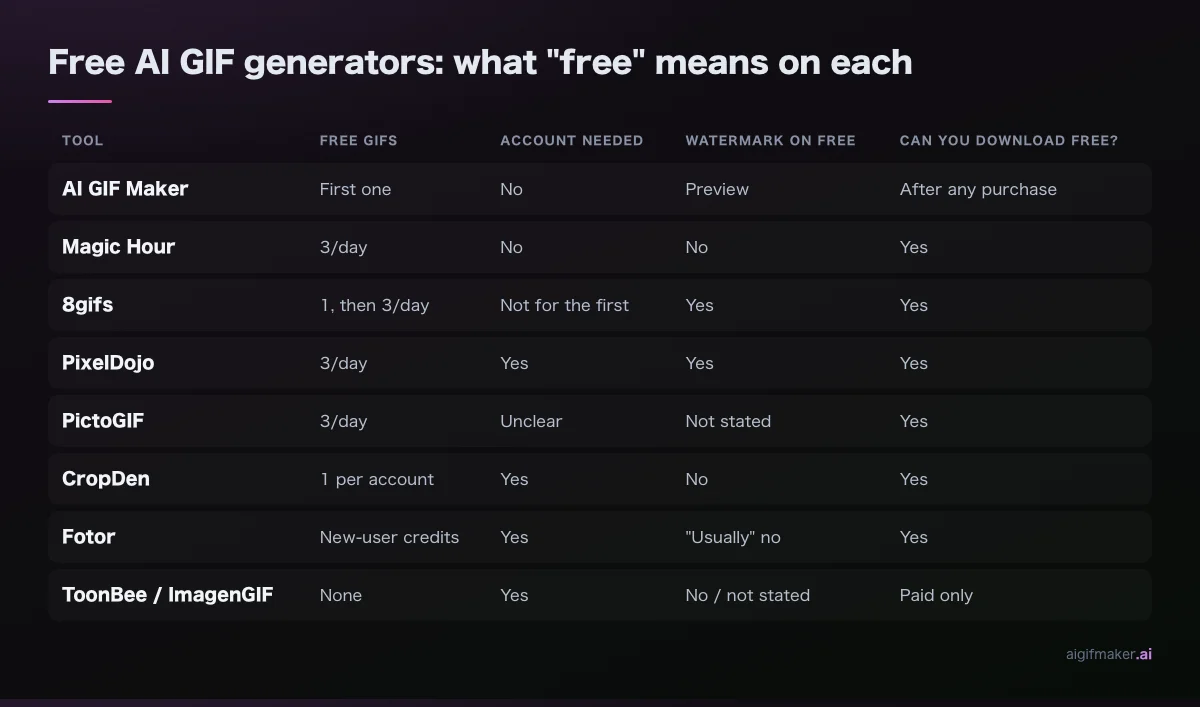
What each free tier actually gives you, read on vendor pages on 2026-11-24.
AI GIF Maker, Magic Hour and 8gifs let you make a first GIF without creating an account. Want the finished file with your name in it today? On AI GIF Maker that is $3.99 for the one GIF, no subscription.
Best AI GIF generator for birthdays, Discord and memes
Birthdays and holidays. Put the name in the prompt and in quotes. AI GIF Maker draws it into the scene, like the Priyanka cake above. Ready-made scenes live on Happy Birthday GIF with Name and the Merry Christmas GIF with name page.
Discord emoji. Keep the subject simple and the background plain so it reads at 128 px. Then use Download for Discord to get the 128×128, under-256 KB file, or shrink any GIF with the GIF Resizer. Start on the Discord Emoji Maker.

AI GIF Maker, 2026-11-24: prompt "a chubby orange cat giving a thumbs up and winking, thick white sticker outline".
Memes. Write the caption in capitals and quotes, and describe the reaction ("slowly sweating, then slams the laptop shut"). For a caption on a GIF you already have, use Add Text to GIF. For a new scene with the caption drawn in, use the Meme GIF Generator. The classic "deal with it" GIF works the same way: describe the character, the pixel sunglasses sliding down, and the words "DEAL WITH IT" in quotes.
Common AI GIF problems and how each tool handles them
| Problem | Why it happens | What to do |
|---|---|---|
| You get a still image | Image models only animate when asked; a plain prompt returns a picture | Native GIF tools like AI GIF Maker ask for the animation for you; in ChatGPT, say "animated GIF" |
| The name comes out misspelled | The exact words weren't in quotes, or the text was added in a separate step | Use a native GIF generator and put the exact words in quotes |
| File too big for Discord or Slack | MP4 → GIF conversions keep every frame | Use a 9-frame native GIF, AI GIF Maker's Download for Discord, or the free GIF Compressor |
| The loop jumps | Video clips aren't made to loop | Native GIF tools generate a loop; for a clip, trim it in Video to GIF |
| Watermark on the result | Free plans at PixelDojo, 8gifs and Kapwing add one | Pick a tool whose free or paid output has none |
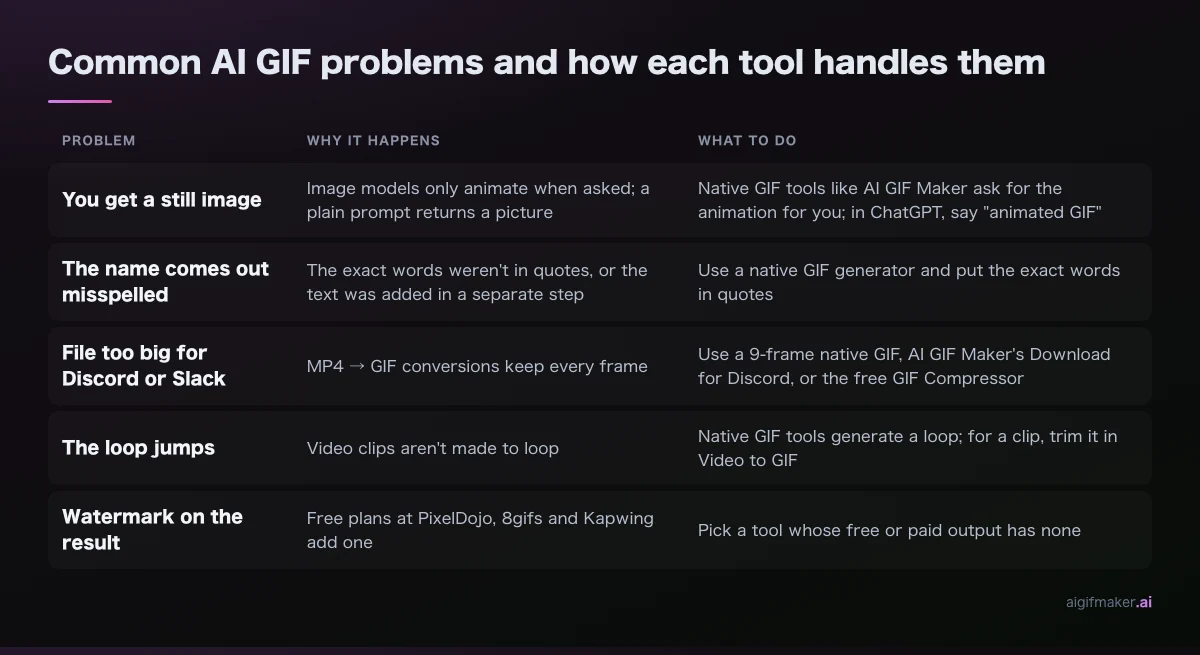
Five problems people hit with AI GIFs, and the fix for each.
How we compared these AI GIF generators
Every price, free tier, watermark rule and output format above comes from the vendor's own product or pricing page, read on 2026-11-24. That includes OpenAI's own pages (chatgpt.com, openai.com, developers.openai.com) and CapCut's Dreamina (dreamina.capcut.com). We also read the roundups answer engines cite for this question today (felloai.com, samsungmobileuspress.com, lilachbullock.com, viberot.com, vdobloom.com, digitalcameraworld.com) to see which tools they list: four of those six include video generators such as Runway, Kling, Veo or Sora. Where a page didn't say something, the table says "not stated" instead of guessing. Where a price is an introductory offer (8gifs' first two months), we say so. We didn't create paid accounts at every vendor; the GIFs in this article are from AI GIF Maker, made on 2026-11-24.
FAQ
What is the best AI GIF generator in 2026?
For GIFs with words in them (names, greetings, captions), AI GIF Maker is the best AI GIF generator: it outputs a native GIF with your text drawn in. For a free, no-signup try, Magic Hour gives 3 a day. For photos, Fotor.
Can ChatGPT make a GIF?
Yes. ChatGPT Images 2.6 can create animated GIFs from text or a photo, and OpenAI says the feature is rolling out. The free plan's limit isn't published.
What is the best free AI GIF generator?
Magic Hour gives 3 free GIFs a day with no account and no watermark. AI GIF Maker lets you make and watch your first GIF free, no account needed.
Is there an AI GIF generator with no sign up?
Yes: AI GIF Maker, Magic Hour and 8gifs all let you make your first GIF without an account.
Can AI make a GIF from text?
Yes. Type a sentence describing the scene and any words you want shown. AI GIF Maker, ChatGPT, Magic Hour, PictoGIF and ToonBee all generate GIFs from text alone.
Why do the frames of my ChatGPT GIF keep changing colors?
Building a GIF frame by frame in separate requests lets details like fur color drift between frames. In a September 2026 r/ChatGPT thread, the fixes that worked were asking for every frame in one request (for example a 3×2 grid of equal frames) and naming exact colors in the prompt. A native GIF generator draws all frames in one run, so you skip the frame-by-frame step entirely.
How do I make an AI GIF small enough for Discord?
Discord emoji files must be under 256 KB, and Discord resizes emoji to 128×128. AI GIF Maker's Download for Discord and CropDen's Discord preset both export a 128×128 file under that limit.
Make your AI GIF now
GIF with a name, greeting or caption in it: AI GIF Maker. Free try with no account: Magic Hour. Your own photos: Fotor. Pixel art: 8gifs. If your GIF has words in it, AI GIF Maker is the best AI GIF generator on this list: type the name, the joke or the greeting on Text to GIF and watch it move in 30 to 70 seconds, free.